I built both Chatter, they both went ok and I can’t see that I’ve missed anything but neither of them turn on. I’ve obviously changed the batteries for new ones, but still nothing. Before I go to the trouble of taking them apart (or backtracking through the build, at least) I wondered if anyone had a similar issue and if anyone has any ideas about troubleshooting?
1 Like
Hi @literalbest,
Thank you for reaching out.
So sorry to hear your Chatters are not working! 
Can you contact us at contact@circuitmess.com and send a few photos of the devices without the acrylic casings so we can check where the problem might be?
Sincerely,
Monika from CircuitMess
Hi Monika
I have the same problem - neither will turn on. New batteries tested as well.
Cheers
Brett
1 Like
Hey @Thebnut,
thank you for reaching out!
Can you contact us at contact@circuitmess.com and send a few photos of the devices without the acrylic casings so we can check where the problem might be?
Sincerely,
Monika from CircuitMess
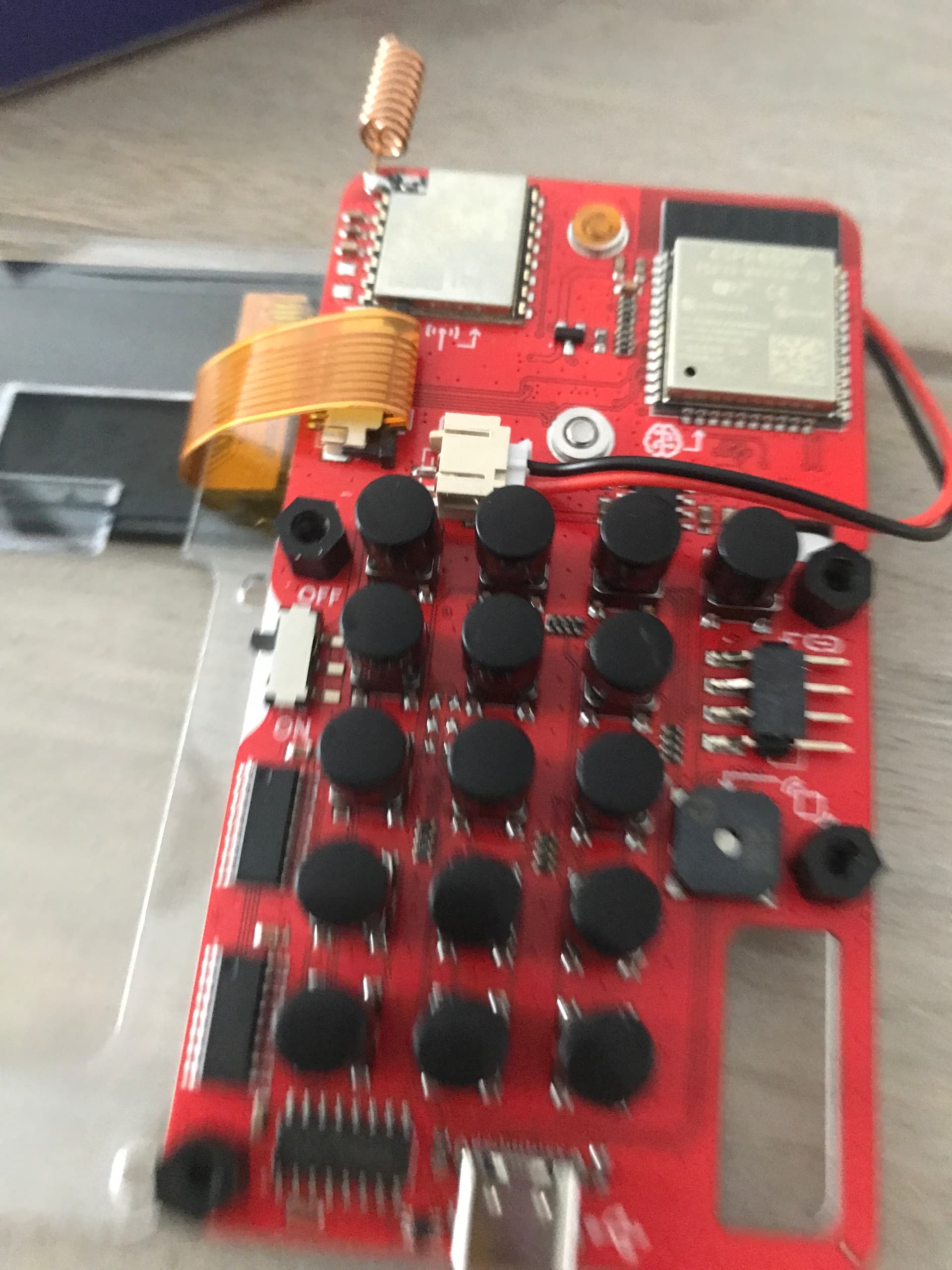
I have the same problem as well. I connected the battery and screen to my other chatter, and it worked perfect. The problem is in the PCB.
1 Like
Hey @Jacob_Lee,
Thank you for reaching out.
Please contact us at contact@circuitmess.com, and we’ll resolve the issue.
-Monika
mine wont turn on either
its been a month since it turned on
1 Like
Can you please send us a few photos of your Chatter if it won’t turn on? Send it to contact@circuitmess.com.
Also, did you try to change the batteries?
Best,
Monika
Yes, I think it’s the switch that’s the issue
We just had the same issue. Built both chatters with my son, they worked perfectly. We connected one to his laptop to install micropython, and now that one won’t power on. I’ve checked the screen connections and there’s been no physical change to any of the hardware. We restored the firmware, as circuitblocks recognizes that there is a device connected but still nothing. I don’t want to try and connect the second Chatter because I fear the same thing will happen.
My pair of Chatters 2.0 will not power on as well. They will work if they are plugged in with the provided cable and a generic charging brick. Neither will work on just battery power.
1 Like
I’m having the same issue. Works through USB, but not through the batteries. Not sure if it’s not delivering enough power or if the switch is the issue, because it doesn’t matter if it’s on or off when the USB is plugged in.
Hi @Sir_william87 and @AkuTaco ,
Could you both please reach out to us at contact@circuitmess.com?
Some of the Chatter 2.0 battery holders were unfortunately manufactured with the JST connector inverted.
On a correctly wired holder, when you plug it into the PCB and look at it from above (with the buttons facing you), the red wire should be on the outside edge and the black wire should be closer to the buttons.
If the wires are switched, the device won’t power on from the batteries.
We’ll be sending replacement battery holders to all affected customers.
Please send us an email with a short description of the issue and your full shipping information, and we’ll organize the shipment for you.
We’re sorry about this issue, and we want to thank you for your understanding.
Best regards,
Filip
I am also having this same issue with the batteries.
I have emailed contact@cricuitmess.com
Still have not had a response.
This was a Christmas gift for my son.
Hi,
We’re very sorry to hear about the issue, especially since this was a Christmas gift for your son. To help us resolve this as quickly as possible, could you please provide your order number? Alternatively, if it’s easier, you can just confirm the email you used to contact us.
Once we have that information, we’ll be able to track your order and work with you to fix the battery issue right away.
Thank you for your patience!
Best regards,
Ana | CircuitMess
Sounds like we are having the same issues. We assembled both Chatters, but only one turns on when it isn’t connected via USB. We’ve switched out the battery holders, used 3 different sets if batteries, and disassembled the faulty unit several times with no luck. This is a very bad first build with you guys.
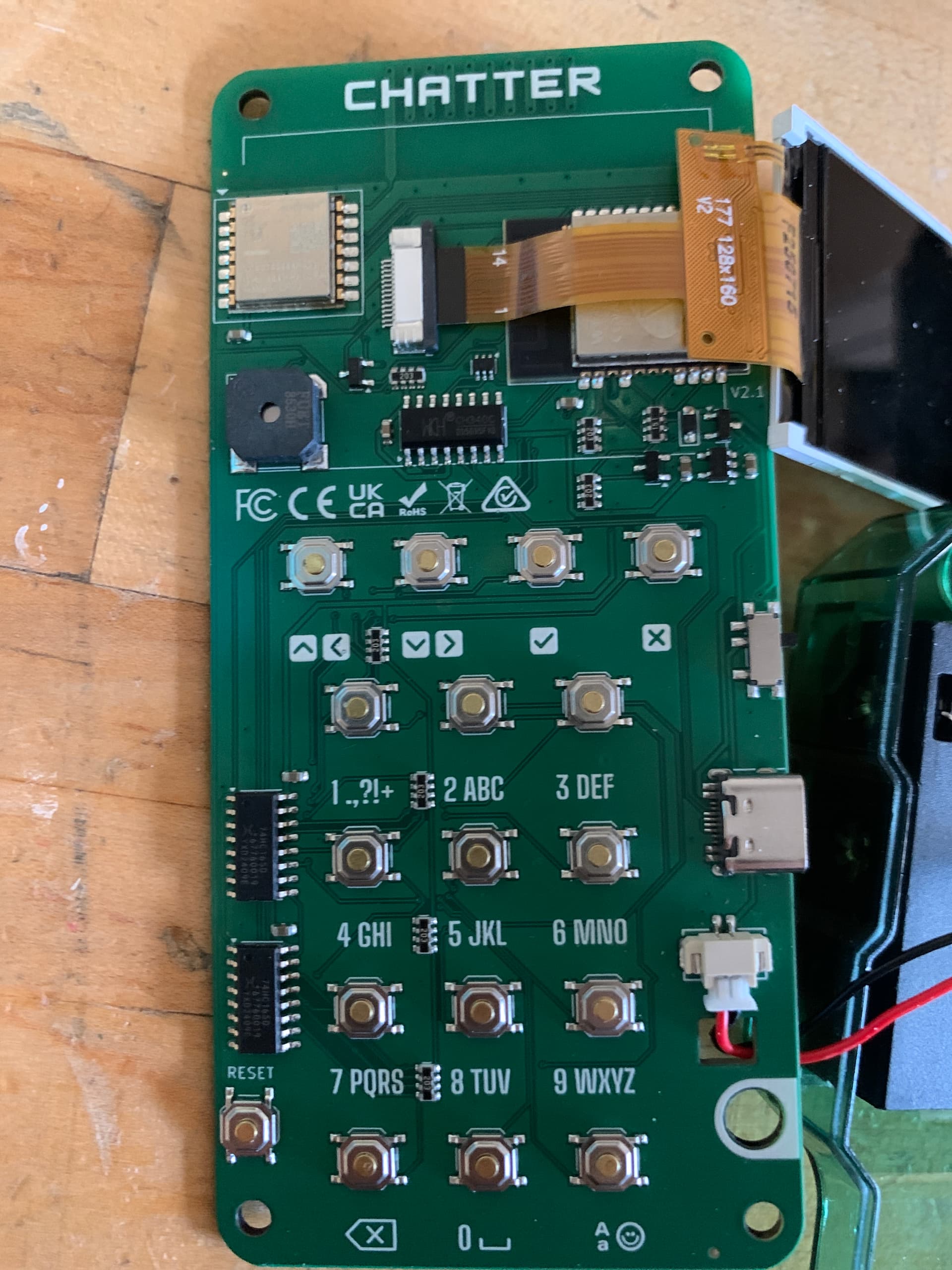
order #54775
Also, for what it’s worth, it does not help that there are different versions of the 2.0 out there. Most of the images in instructional videos that I was able to find do not match what we received in the box. Printed instructions are on par with IKEA. All that was missing was a little stick figure scratching his head. I don’t expect for you to scrub the Internet of all its history, but it might be worth noting on the product page or confirmation emails that this is an issue. We spent about 30 or 40 minutes thinking that we actually got a counterfeit product.
1 Like
Hi there, hope you’re well. Just built 2 of the chatter 2.0 code editions with my daughter. Only 1 will power on. Have you established what the common fault is? Would be good to fix this end than have to post back over seas. Thanks
PS Just tested with a multi meter and there is around 4.8 volts present when the switch is in the on position which seems normal…